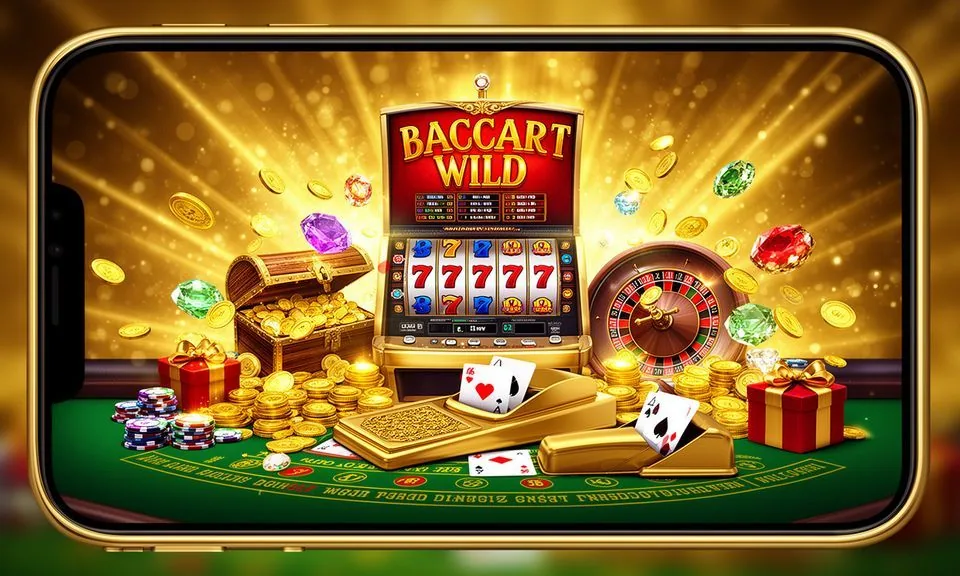
Live tables, slot lobbies, crash rounds and the sportsbook — all of it loads through your mobile browser without a store download. Check the 27ok site directly for any published app build; access depends on your local law and eligible region.
Open 27ok in your Android browser and the lobby reorganises itself for a smaller screen — game rows stack vertically, the account menu drops into a bottom bar, and category tabs stay within thumb reach. Dragon Tiger Live Room and Baccarat Fire sit at the top of the live casino rail, so you land on the tables you came for without scrolling past unrelated content. Your account page shows wallet balance, deposit history and the help route in the same view. Navigation between the sportsbook — where cricket markets run alongside Football FastGoal — and the slot section happens without a full page reload. Nagad and Rocket appear in the payment chip row inside the deposit screen; tap one and the fields for that wallet load immediately. If you run into display issues, the support route is one tap from the account menu.
BROWSER FEATURE SET
Mobile Page Behaviour on 27ok
The lobby renders cleanly on standard Android browsers without additional configuration. Here is what the mobile layout handles by default.
Responsive Game Rail
Game rows reflow to a single-column layout on screens under 480px. Category tabs stay pinned at the top so you can switch between live casino, slots and crash rounds without scrolling back up. No horizontal scroll required on the home rail.
Account Menu Access
Your wallet balance, deposit record and withdrawal status are reachable from the account icon in the top bar. The same menu carries the published support link so you are never more than two taps from help, whether you are mid-session or just checking your balance.
Lobby Search and Filter
A search bar sits above the game grid. Type a game name — Comilla Speed Crash or Easy Rocket Payout, for example — and matching titles surface without navigating away from the current category. Filter by provider to browse JDB or PG Soft titles separately.
Payment Chip Row
Nagad and Rocket appear as tappable chips inside the deposit screen. Selecting either loads the wallet-specific fields and the limit instructions published for that method. No copy-pasting account numbers; the flow is contained within the page.
THREE ACCESS STEPS
Mobile Access in 3 Steps
Getting into the 27ok lobby from a mobile browser takes three actions. No file download is required for browser access; if an official app build becomes available, the site will show the verified link.
Open the Current Site
Type 27ok into your mobile browser address bar or follow a saved bookmark. Verify the domain matches before entering your account details — the correct address is 27ok and nothing else.
Check Browser Compatibility
The lobby works on current versions of Chrome for Android and standard Android WebView browsers. If a game tile does not load, try refreshing with cache cleared. The site does not require a specific OS version beyond what those browsers support.
Sign In to Your Account
Tap the account icon in the top bar and enter your registered credentials. Once authenticated, your wallet, game history and deposit options are visible in the same session. The session stays active while the browser tab is open.
DEVICE CHECKLIST
Browser and Account Compatibility
Before your first session, run through these checks to confirm your device and account are set up correctly for mobile access.
Browser Version
Use a browser that receives regular security updates — Chrome for Android is the common choice. Outdated browser builds may block certain game scripts. Check your browser version in the app settings if a game room fails to open.
Screen Layout
The lobby is designed for screens from 360px wide upward, which covers most Android handsets in active use. Landscape orientation is supported for live table sessions; the game canvas fills the screen automatically.
Account Status
Your account must be verified and in good standing to access deposit and withdrawal screens. If the wallet section shows a restriction notice, follow the verification steps shown in the account page rather than contacting support first.
Payment Method Linking
Nagad and Rocket wallet numbers must be registered under the same name as your 27ok account. The deposit screen shows the exact field labels and limits for each method; read those before submitting a transaction.
Supported Regions
Access to the full lobby, including the cricket sportsbook and live casino rooms, depends on your local law and eligible region. If a category is not visible after login, the restriction notice in your account area will indicate the reason.
MOBILE HELP ROUTES
Get Help With Mobile Access
If something does not load or your account shows an unexpected status, these are the support paths published on the site.
In-App Help Link
The account menu carries a direct link to the help section. From there you can submit a query about a failed deposit, a game that did not load, or a wallet verification step. Use this route first — it logs the session context automatically.
Published Support Channel
The support channel listed on the 27ok site handles account and payment queries. Check the Contact page for the current route; the address shown there is the one to use. Do not send account details to any contact not listed on that page.
Account Recovery Path
If you cannot log in, the recovery option is on the login screen. Follow the steps shown — they walk through credential reset using your registered contact method. If the recovery email or number is no longer active, the support channel is the next step.
ACCESS TRUST CHECKS
Verify Before You Log In
These checks apply every time you access 27ok on a mobile device, not just the first time.
Confirm the Domain
The correct domain is 27ok. Check the address bar before you enter your password. Phishing pages copy the visual design but cannot replicate the domain. If the address differs by even one character, close the tab and navigate from a saved bookmark.
Review Published Device Guidance
The site publishes device and browser guidance in the help section. Check it if you are setting up on a new handset or after a browser update. Following the published steps reduces the chance of a session or payment error that support would otherwise need to resolve.
Protect Your Credentials
Do not save your 27ok password in a shared browser profile. On Android, use the device's built-in credential manager rather than a browser that auto-fills across accounts. Two-step credential checks, where enabled on your account, appear after the password field.
Use the Published Recovery Path
Account recovery steps are listed on the login screen. If you are locked out, follow that path rather than searching for a support contact outside the site. The published route is the only one 27ok can verify; third-party recovery offers are not affiliated with the platform.
APP FAQ
27ok App — Common Questions
Answers to the questions that come up most often about accessing 27ok on mobile.
Does 27ok have a native Android or mobile browser access I can download?
Check the 27ok site directly for any currently published app build. Browser access through Chrome for Android works without a download. Any official app link will be listed on the site; do not install APK files from third-party sources.
Why does the 27ok lobby look different on my phone compared to desktop?
The lobby uses a responsive layout that reflows for smaller screens. Game rows stack vertically, the account menu moves to a bottom or top bar, and category tabs stay pinned. The same games and account functions are available — only the visual arrangement changes.
Can I deposit via Nagad or Rocket from the mobile browser?
Yes. Open the deposit screen from your account menu and you will see Nagad and Rocket in the payment chip row. Tap the method you use, fill in the fields shown, and follow the limit instructions on that screen. The wallet number must match your registered account name.
The game room is not loading on my phone. What should I check first?
Clear your browser cache and reload the page. Make sure your browser is updated to a recent version. If a specific game room still fails, try a different title to check whether the issue is isolated. Persistent problems can be reported through the help link in your account menu.
How do I stay logged in across sessions on the 27ok mobile site?
The session stays active while the browser tab is open. If you close the tab or the browser, you will need to sign in again. Save the 27ok address as a bookmark so you always navigate to the correct domain and reach the login screen directly.
What should I do if I cannot access certain game categories on mobile?
Some categories depend on your account status and eligible region under local law. If a section is not visible after login, check the restriction notice in your account area — it will indicate whether the issue is account verification, regional eligibility, or a temporary access condition.
 App / Casino